

Description
Download Calendar Widget 2 Lite – calendar widget, free calendar, daily planner, schedule management, time tracker
Overview
Calendar Widget 2 Lite is a lightweight, free desktop utility designed for Android users seeking a more customizable alternative to their device’s default calendar widget. The software serves as a visual time management tool, offering a clean and functional display of the current month, day, and weekday directly on the home screen. It is specifically tailored for individuals who prioritize quick access to daily scheduling information without launching a full application.
Target users include students, professionals, and general consumers who rely on daily planning and time tracking. The widget helps reduce time spent navigating through apps by providing immediate visibility into upcoming dates and recurring events. It is particularly useful for those who prefer minimalism in their digital workspace and want a distraction-free way to stay on track with appointments, deadlines, and personal commitments.
Developed by GadgetSoft, the tool operates exclusively as a home screen widget and does not function as a standalone app. This design choice emphasizes its role as a supplementary utility rather than a full-featured calendar application. The developer did not provide additional details about the company’s background or development philosophy.
Key Features & Capabilities
- Current Date Display: Shows the current month, day, and weekday in a clear, easy-to-read format, enabling instant access to the current date without opening a calendar app.
- Multi-Language Support: Available in multiple languages, including French, Chinese, Japanese, and Korean, making it accessible to a global user base.
- Lightweight Design: At only 3.2 MB, the widget requires minimal storage space, ensuring compatibility with devices of varying specifications.
- Free to Use: The Lite version is fully functional with no restrictions on core features, offering a no-cost solution for users seeking a simple calendar overlay.
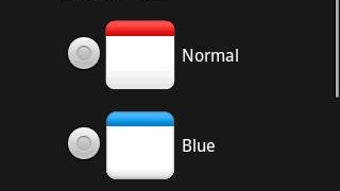
- Customization via Plus Version: While the free version lacks advanced themes, users can upgrade to the Plus version to access additional visual designs and potentially enhanced functionality.
Real-world usage scenarios include using the widget to track exam dates, meeting schedules, or personal milestones. Its presence on the home screen allows users to glance at the date and plan their day efficiently. The multi-language support is beneficial for multilingual households or international users who need to switch between language settings.
User Interface, Workflow & Performance
The user interface of Calendar Widget 2 Lite is minimalistic and focused on readability. It displays a compact calendar layout with the current month and day highlighted, ensuring users can quickly identify the date without visual clutter. Navigation is not applicable in the traditional sense, as the widget does not have internal menus or settings within the widget itself. Instead, configuration is managed through the device’s home screen customization tools.
Workflow efficiency is high for users familiar with Android’s widget system. To use the widget, users must access the home screen menu, select the widget option, and choose Calendar Widget 2 Lite from the list. Once placed, it updates automatically with the current date. The developer did not specify resource usage details, so performance behavior in terms of CPU or RAM usage remains unknown. However, its small file size suggests low overhead.
Stability appears to be consistent with standard Android widgets, as it does not require constant background processes. The software does not support offline mode as it is inherently dependent on the device’s system calendar, which may be updated in real time. No performance benchmarks or user-reported issues were provided.
Compatibility & System Requirements
Calendar Widget 2 Lite is designed for Android devices and is compatible with the latest versions of the operating system. The software version is 2.5.1, and it requires a total installation size of 3.2 MB. The developer did not specify exact hardware requirements, such as minimum RAM or processor type.
Compatibility information was partially provided. While the app is available on the Google Play Store, specific device models or Android API levels were not listed. Users should ensure their device supports home screen widgets and has access to the Google Play Store for installation. The software does not require root access or special permissions beyond standard widget functionality.
Pros and Cons
Pros
- Free to download and use with no hidden limitations
- Lightweight at only 3.2 MB, suitable for low-storage devices
- Supports multiple languages, enhancing accessibility
- Simple and intuitive setup process via Android’s widget menu
- Displays essential date information at a glance
Cons
- Not a standalone app; cannot be launched independently
- Limited customization in the free version
- No advanced features such as event reminders or sync with cloud calendars
- Dependent on the device’s native calendar system for data
- Requires manual setup through the home screen menu
FAQ Section
Is Calendar Widget 2 Lite available for iOS?
Calendar Widget 2 Lite is designed exclusively for Android devices and is not available on iOS.
Can I use this widget without an internet connection?
Yes, the widget functions offline. It relies on the device’s local calendar system, which does not require an active internet connection to display the current date.
Does the free version have ads or in-app purchases?
The free version is fully functional and does not include ads or in-app purchases. The only monetization option is the purchase of the Plus version, which offers additional themes.
How do I update the widget?
Updates are automatically delivered through the Google Play Store when available. Users should ensure that auto-updates are enabled in their Play Store settings.
Can I use multiple instances of this widget on my home screen?
Yes, Android allows multiple instances of the same widget. Users can place several Calendar Widget 2 Lite widgets on their home screen if desired.
Final Thoughts
Calendar Widget 2 Lite delivers a straightforward, no-frills solution for users who want a clean, functional calendar display on their Android home screen. Its lightweight nature, multi-language support, and free access make it a strong contender for those seeking a simple time tracker or daily planner. While it lacks advanced features and cannot be launched as an app, its purpose is well-defined and effectively executed.
For users who value simplicity, minimalism, and quick access to the current date, this widget is a reliable choice. It is particularly beneficial for individuals who manage their schedules through external tools and only need a visual reference. The availability of a Plus version for enhanced customization adds flexibility for users seeking more options.
Download Calendar Widget 2 Lite now
Guides & Tutorials for Calendar Widget 2 Lite APK
How to install Calendar Widget 2 Lite APK
- Click the Preview / Download button above.
- Once redirected, accept the terms and click Install.
- Wait for the Calendar Widget 2 Lite APK download to finish on your device.
How to use Calendar Widget 2 Lite APK
This software is primarily used for its core features described above. Open the app after installation to explore its capabilities.
User Reviews for Calendar Widget 2 Lite APK 0
No reviews found





